
Ko-fi supporter
★★★★★
“Really useful Mac app. Easy to set up, clean UI, and perfect for keeping private apps locked.”
Ko-fi review
AppLockr protects app launches and supports focus-based app locking with Touch ID or password authentication. Files and Automation are available separately when you need them.
Buy App stays in the top bar. You can still try AppLockr first without paying.
The download starts a 48 hour trial. No card is required for the trial, and it is the same AppLockr app you can unlock later if you decide to buy.
“Really useful Mac app. Easy to set up, clean UI, and perfect for keeping private apps locked.”

“AppLockr does exactly what I needed. Simple, fast, and makes my Mac feel much more private.”

“Great little app for locking Messages and Photos. The intruder photo feature is a nice bonus.”
AppLockr is for lightweight, everyday privacy: the moment someone borrows your Mac, you share a screen, or a private app is one click away.
Keep Notes, Mail, Photos, banking apps, or work tools from being casually opened by another person.
Avoid awkward surprises when you are switching apps in front of classmates, coworkers, clients, or family.
Keep work apps from opening during a quick handoff, presentation, or screen share.
Let someone use your Mac while keeping your personal apps behind authentication.
Use focus-based app locks to add friction to distracting apps when you need it.
Protect the things that feel private, without installing heavy enterprise security software.
Base AppLockr stays focused on app protection: lock the apps that matter and unlock them quickly when it is you.
Require authentication before selected macOS apps can be opened.
Re-arm selected app locks when it is time to stay on task.
Use Touch ID or password authentication for quick, familiar access.
Ask for authentication before protected apps can open.
Use AppLockr schedules to support a consistent focus routine.
Optionally capture a webcam photo after failed unlock attempts.
Keep AppLockr available without getting in the way of your work.
Designed for everyday app privacy without an always-online workflow.
Apple Screen Time is useful for parental controls and app limits, but it is not a simple way to protect private apps before someone else opens them. AppLockr focuses on immediate app protection for the person sitting at the Mac.
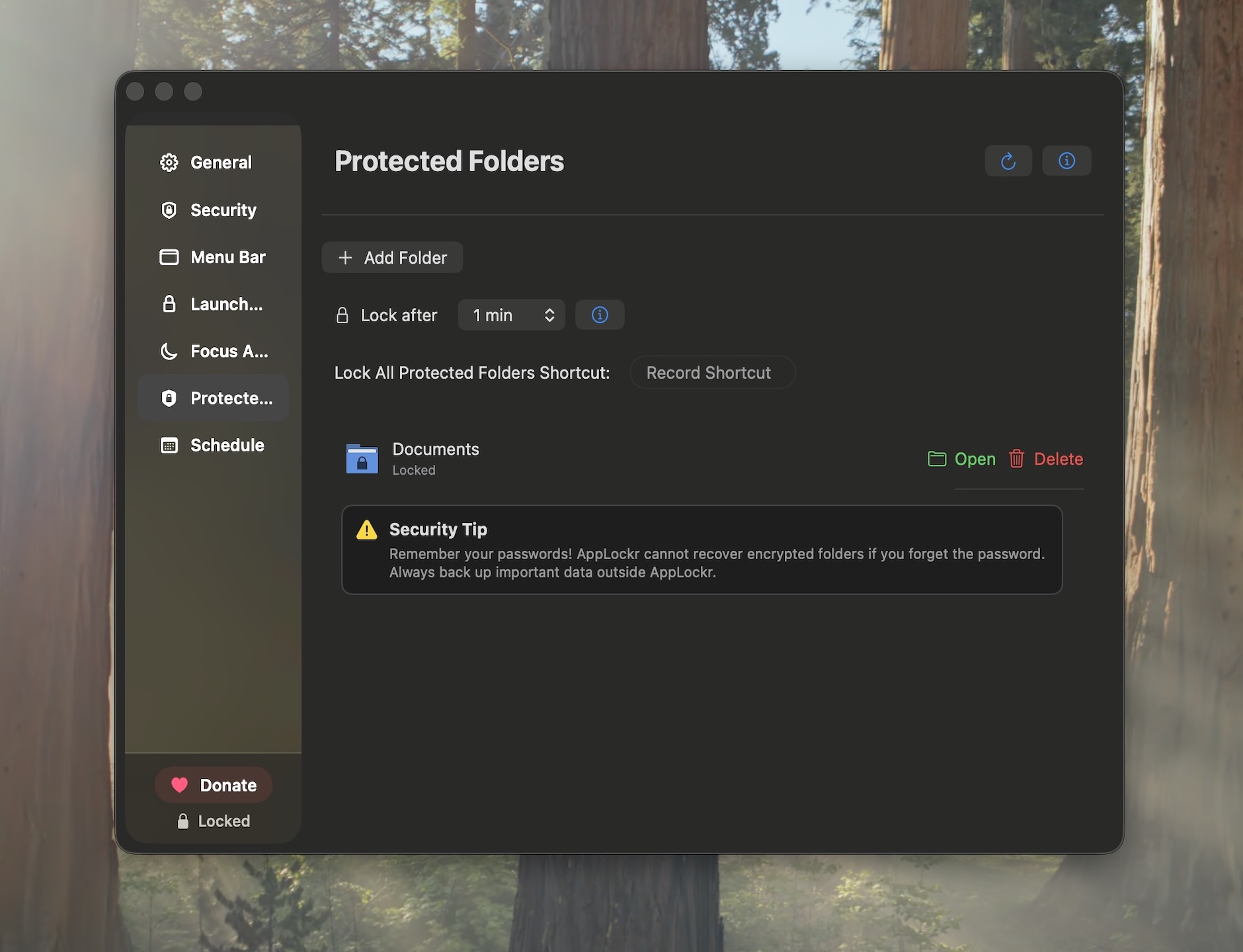
Files Module and Automation Module are separate one-time add-ons for AppLockr. They are not part of the base app purchase.
AppLockr explains required macOS permissions during setup so users understand what they are enabling and why the app needs it for the lock flow.
AppLockr is distributed as a native macOS app from an Apple Developer account and is Apple notarized, so macOS Gatekeeper can verify the app before it runs.
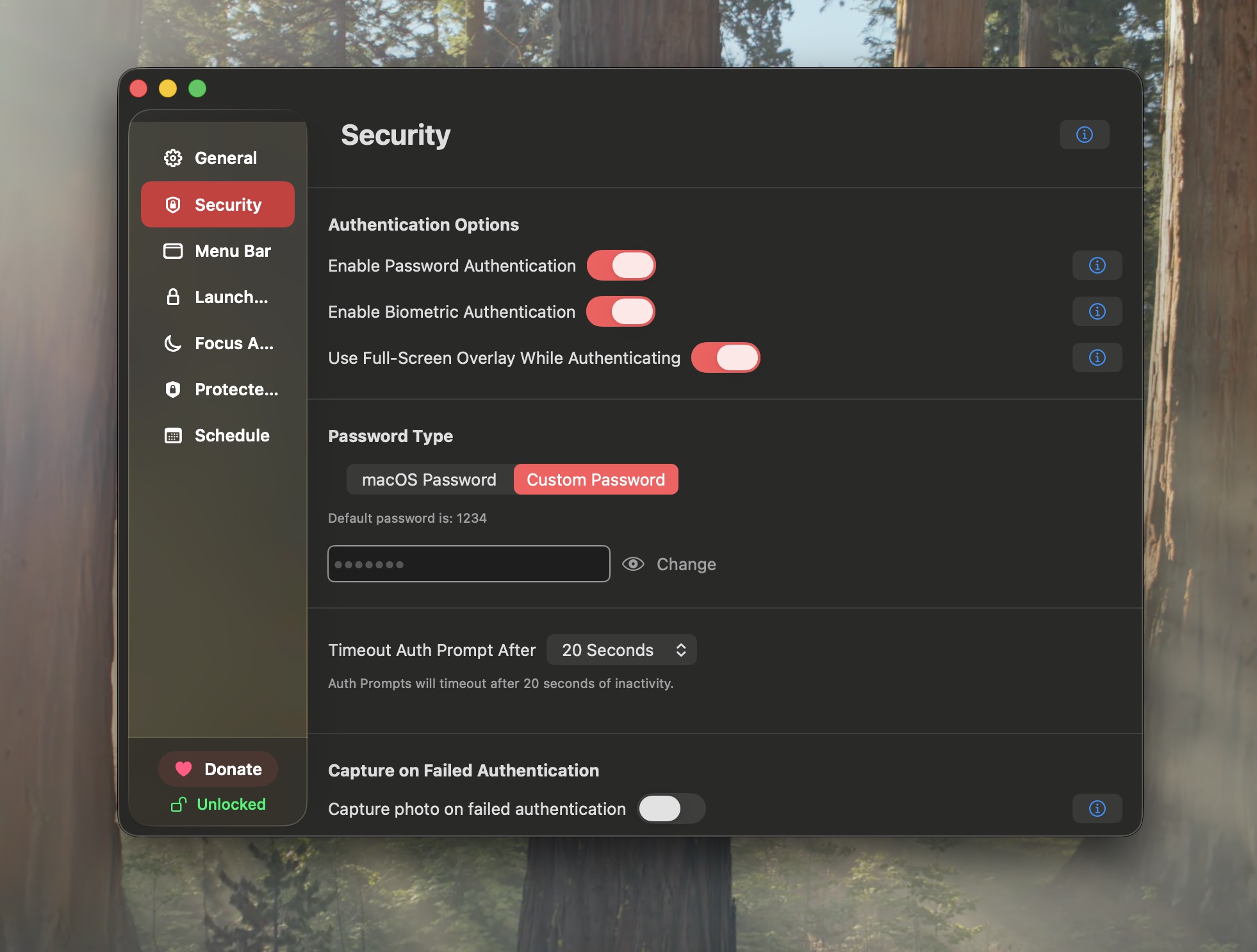
AppLockr is intentionally small: no ads, no telemetry, no tracking dashboards, and no always-online account system for day-to-day protection.
How to protect selected apps from casual opening.
What macOS offers, what it does not, and where AppLockr fits.
Choose encrypted vaults or lighter Finder-level folder deterrence.
Use familiar biometric unlock for protected Mac apps.
A practical comparison for privacy, not parental controls.
Build tested visual workflows for your Mac routine.
How AppLockr compares with Screen Time, other app lockers, and separate accounts.
Independent development, native macOS focus, and privacy principles.
Download the 48 hour trial, lock a few apps, and see whether the workflow fits before buying.